How to Detect and Handle Flaky Tests
What makes a test flaky, how to detect flaky tests automatically instead of by memory, and how to handle them without disabling coverage
Jul 31, 2026 · Updated: Aug 9, 2026

A flaky test is one that passes and fails without any change to the code, so its result depends on timing, environment, or order rather than on whether the thing it tests actually works. Flaky tests are hard to deal with for one structural reason: you cannot identify a flaky test from a single run, because the definition of the problem is that the result varies across runs. To detect flaky tests you need a record of how each test behaved over many runs, and a way to flag the ones whose results alternate. Tesults does this automatically: it keeps the history of every test across runs and surfaces the flaky ones for you, so you are not relying on someone remembering that a particular test "fails sometimes." This post covers what flakiness is, how automatic detection works, and how to handle flaky tests once you have found them without losing the coverage they provide.
What makes a test flaky?
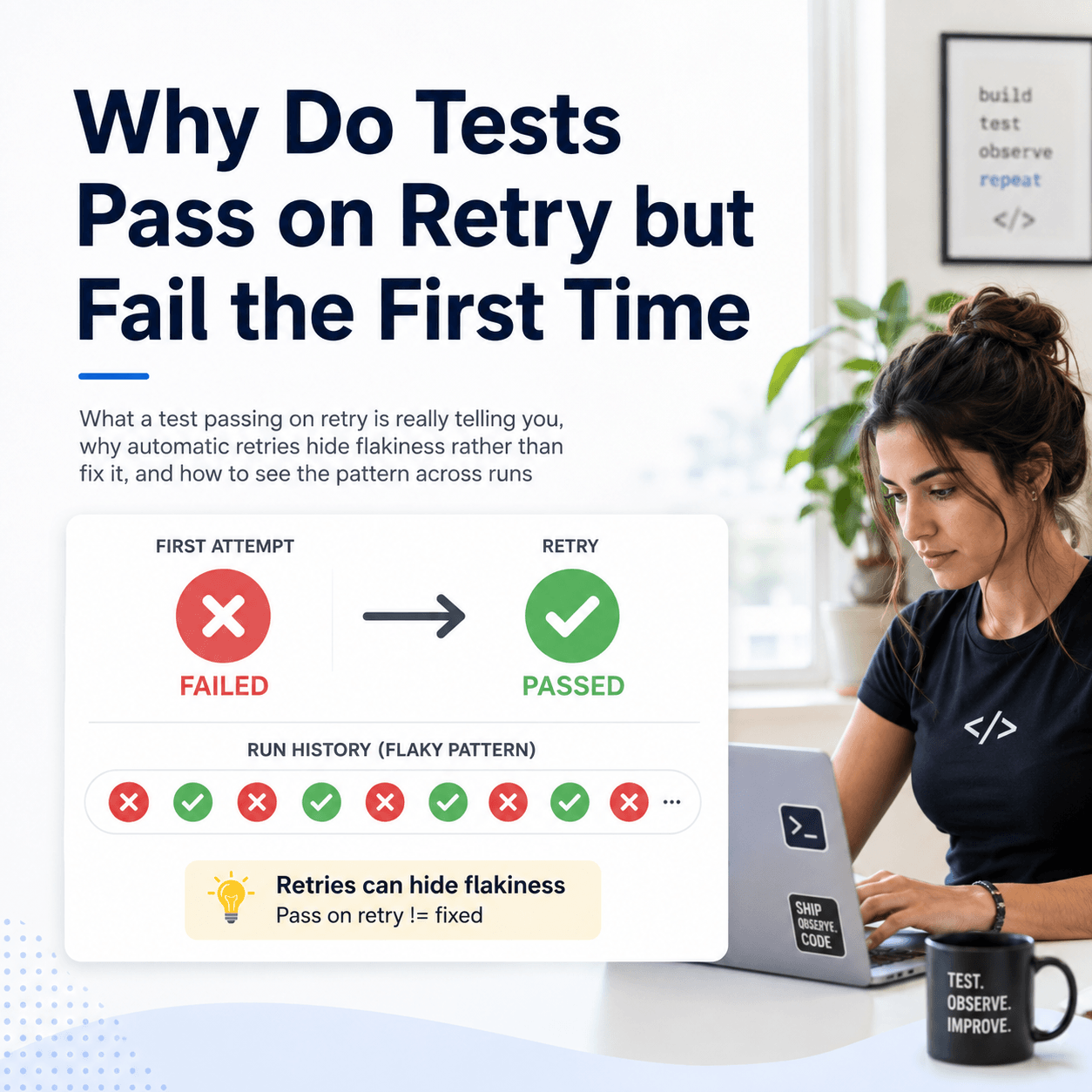
A flaky test produces different results on different runs while the code under test stays the same. It is green now, red on the next run, green again after that, and nothing in the codebase changed to explain it. The failure is not telling you about a bug in the product. It is telling you about non-determinism in the test or its environment.
The common causes are timing and ordering. A test that waits a fixed number of milliseconds for something that usually takes less will pass until the day it takes more. A test that depends on another test having run first will pass in one order and fail in another. Shared state, real network calls, race conditions in asynchronous code, and animations that have not finished rendering all produce the same pattern: a result that flips without a code change. Browser and end to end tests are especially prone to this, because they coordinate many moving parts, which is why teams running large Playwright, Cypress, or WebdriverIO suites tend to feel the problem first.
Why can't you spot a flaky test from one run?
This is the core difficulty. A single test run gives you one result per test: pass or fail. Flakiness is not visible in one result, because one result cannot show variation. The test that just failed looks identical to a test that failed for a real reason. The test that just passed looks identical to a reliable test. The information that distinguishes a flaky test from a stable one, the fact that its result changes across runs, only exists when you compare multiple runs.
That is why flakiness is so often tracked in people's heads. Someone remembers that the checkout test "goes red sometimes," so the team learns to re run it rather than investigate. That knowledge is real, but it lives in memory instead of data, it does not transfer when people leave, and it quietly erodes trust in the whole suite. Detecting flaky tests properly means moving that knowledge out of memory and into something that watches every test across every run.
How do you detect flaky tests automatically?
Automatic detection requires two things: a retained history of every test's results across runs, and a rule that flags the tests whose results alternate. Tesults provides both. Every run pushed to Tesults is stored, so each test accumulates a record of how it behaved over time rather than being forgotten after the run. Against that history, a test is classified as flaky when its result alternates between pass and fail more than twice across the runs analysed. That is a deterministic rule computed from the record, not a guess: the test's own results over recent runs are what mark it as flaky.
These flagged tests are surfaced in the supplemental view, which focuses on the analysis rather than listing every case. It has a dedicated section for flaky tests, sitting alongside the sections for tests that just started failing, tests that just started passing, and tests that are continuing to fail, together with the trajectory of pass rates across recent runs. Flaky cases are also marked with a snowflake symbol in the interface, so a test known to alternate is visually flagged wherever you encounter it rather than looking like any other result. So instead of a teammate recalling that a test is unreliable, the flaky tests for a target are computed and presented, drawn from the actual run history.
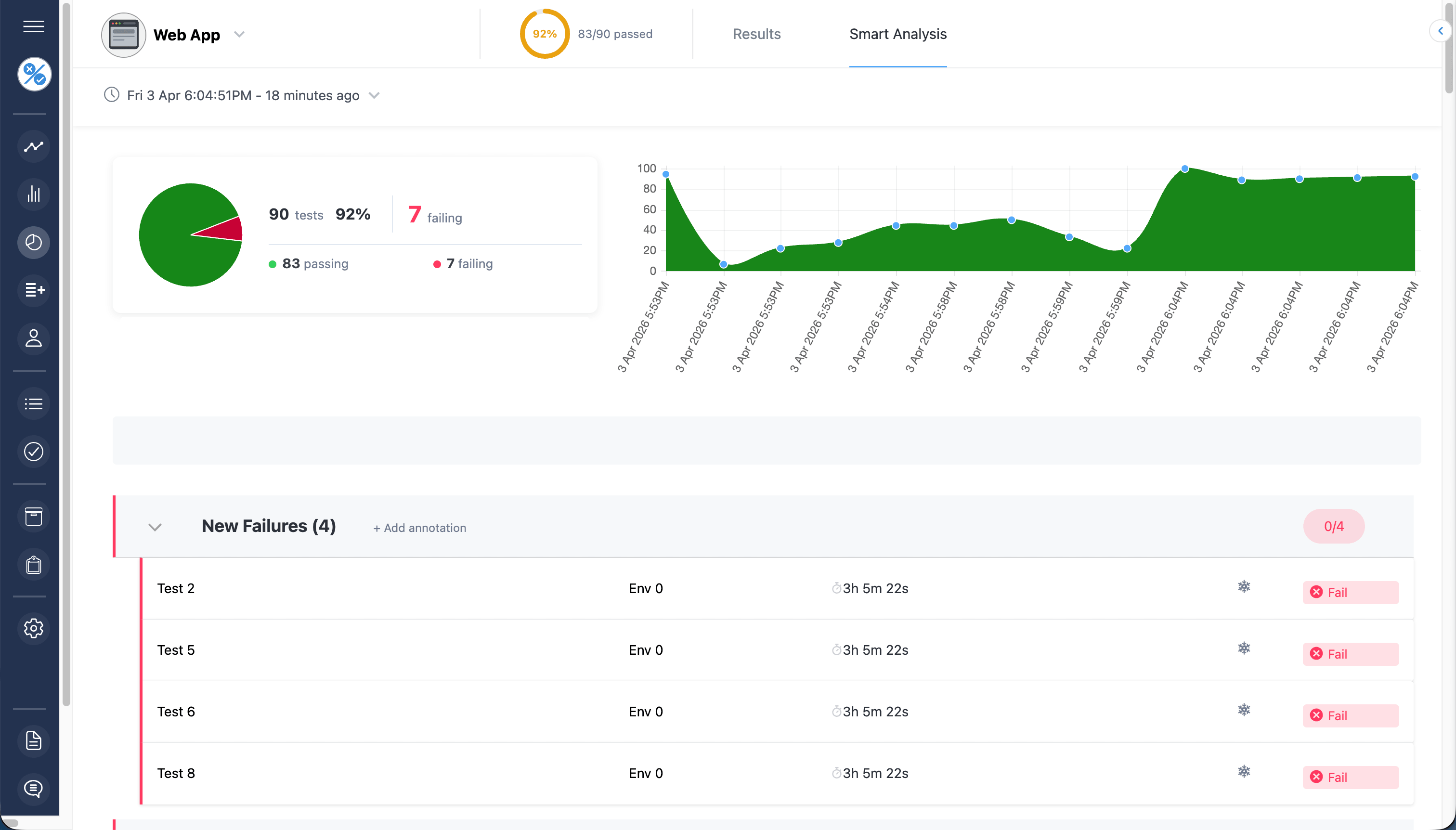
For a single test you are unsure about, the stability of that specific case can be examined over its recent runs, returned with a classification and a confidence score based on how many runs it appeared in. That is the difference between "someone thinks this test is flaky" and "this test's result alternated across its last several runs, here is the record." The first is folklore. The second is something you can act on.
How do you handle a flaky test once you have found it?
Detection is only half the job. Once a test is flagged flaky, the wrong move is to delete it or comment it out to make the suite green. That removes the noise, but it also removes whatever real coverage the test provided, and a flaky test usually became flaky while testing something that genuinely matters. Silencing it trades a visible problem for an invisible gap.
The better sequence is to quarantine rather than delete. Separate the flaky test from the signal that gates your build so a known-flaky result does not block a deploy or train the team to ignore red, but keep the test running and keep watching it, so you retain the coverage and the record. With the flaky tests identified and tracked, you can then work through them deliberately: investigate the cause (timing, ordering, shared state), fix the non-determinism, and confirm from the history that the result has stabilised rather than just happened to pass a few times. The point is to fix flakiness as a tracked backlog rather than react to it run by run, which is only possible once the flaky tests are detected and recorded in the first place.
Where does this leave the reliability of your suite?
A test suite is only as trustworthy as your ability to tell a real failure from a flaky one. When you cannot, every red run is ambiguous, every green run is slightly suspect, and the whole suite drifts toward being ignored. Automatic flaky detection restores the distinction: the failures that are new and reproducible are separated from the ones that are just a test flipping, so a red build means something again. That is the real value, not a list of flaky tests for its own sake, but a suite whose results you can act on because you know which failures to trust.
Flaky tests cannot be caught from a single run, only from the history of many, which is why detecting them means keeping that history and computing across it rather than relying on memory. Tesults retains every run and surfaces the flaky tests automatically, so the knowledge that used to live in someone's head becomes data the whole team can see. The detection views described here are documented under supplemental analysis, and automatic flaky detection is one of the criteria worth checking when comparing test automation reporting tools.