
Supplemental
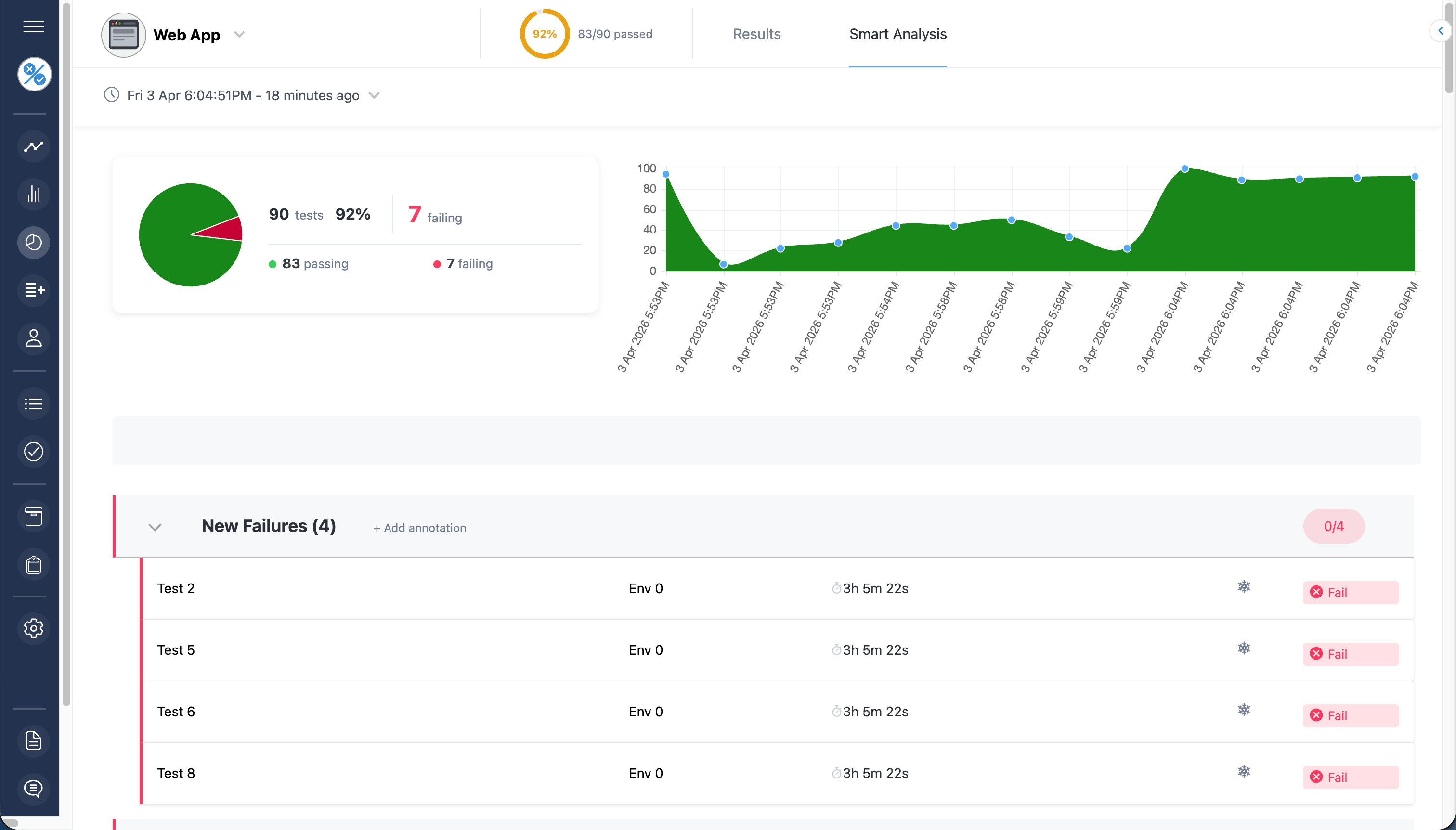
Click Supplemental from the menu to view supplemental test results data.
The supplemental view focuses on providing analysis on key metrics, unlike the results view which lists every test case in the test run for a comprehensive review.
Use the supplemental view to understand which test cases have just started failing, started passing, and which test cases are continuing to fail. Flaky tests can be examined here too. The supplemental view is a great way to understand the trajectory of pass rates for recent test runs.
Ask about the selected results
The Ask about these results panel is also available here. Ask about changes, failures or inconsistent tests across up to 10 runs ending at the selected run. Answers stay within the selected target and include links to supporting evidence. See asking about results for access requirements, limits and examples.