Set Priorities for Test Cases
A community requested feature
Mar 22, 2020 · Updated: Jul 5, 2026
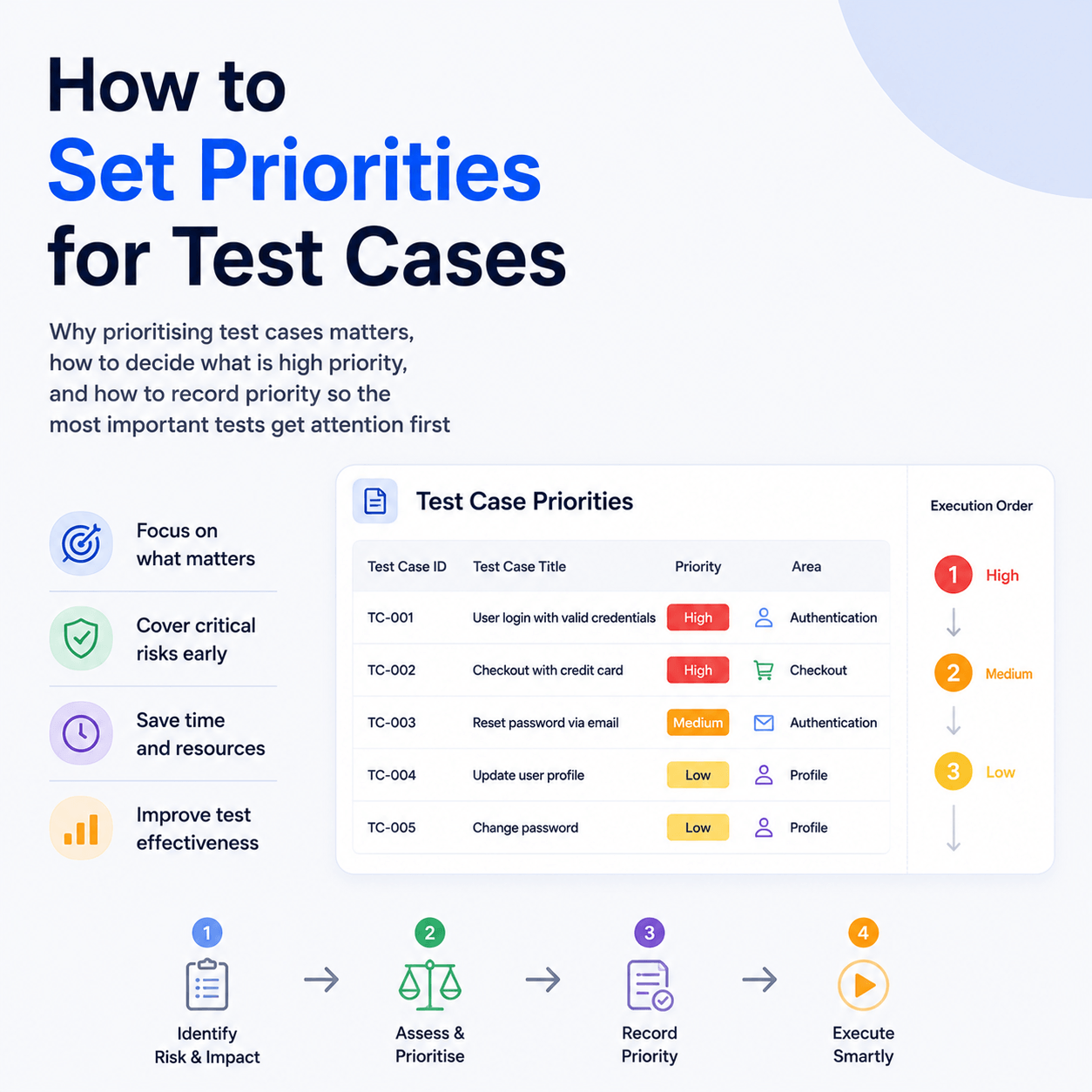
Setting priorities for test cases means ranking them by how much their failure would matter, so that when time is short you know which tests and which failures to deal with first. Not every test carries the same weight. A test covering sign in or payment is far more important than one covering a cosmetic detail, and treating them as equal wastes effort and risks shipping serious problems. This post covers why prioritisation matters, how to decide what counts as high priority, and how to record priority against your test cases so the ordering is visible when you need it.
Why prioritise test cases at all?
Because your time and attention are finite and your tests are not equally important. Prioritisation pays off in several concrete situations. When a build produces many failures, priority tells you which to investigate first rather than working through them in arbitrary order. When you cannot run or automate every test, priority tells you which to cover first for the best return. And when you are deciding what to build into a fast pre release smoke suite versus a slower full regression run, priority is the natural basis for that split. In short, prioritisation turns a flat list of tests into an ordered one, so the most consequential work happens first.
How do you decide what is high priority?
The core question for any test case is simple: how bad is it if the functionality this test covers is broken? The higher the impact of failure, the higher the priority. A few factors feed into that judgement:
- Severity of failure. If this breaks, how much damage is done? Being unable to sign in or complete a purchase is critical. A misaligned icon is not.
- Criticality of the flow. Core paths that many other features depend on, authentication, authorisation, checkout, data saving, rank highest because their failure can render large parts of the system unusable.
- Likelihood and frequency of use. Functionality that almost every user hits on every visit deserves higher priority than an edge feature used rarely.
- Blast radius. A failure that cascades into many other areas is higher priority than one contained to a single isolated feature.
A common approach is to assign each test case a priority level, for example from highest down to lowest, based on the above. The exact scale matters less than applying it consistently, so that anyone looking at the list understands the ordering the same way.
How do you record priority against your test cases?
Deciding priority only helps if it is written down somewhere visible, rather than living in one person's head. Recording a priority value against each case means that anyone reviewing the tests can immediately see what to handle first.
In Tesults, test cases that are part of a List or Run can have a priority value assigned, from 0 (Highest) down to 4 (Lowest). You set it when adding or editing a test case:
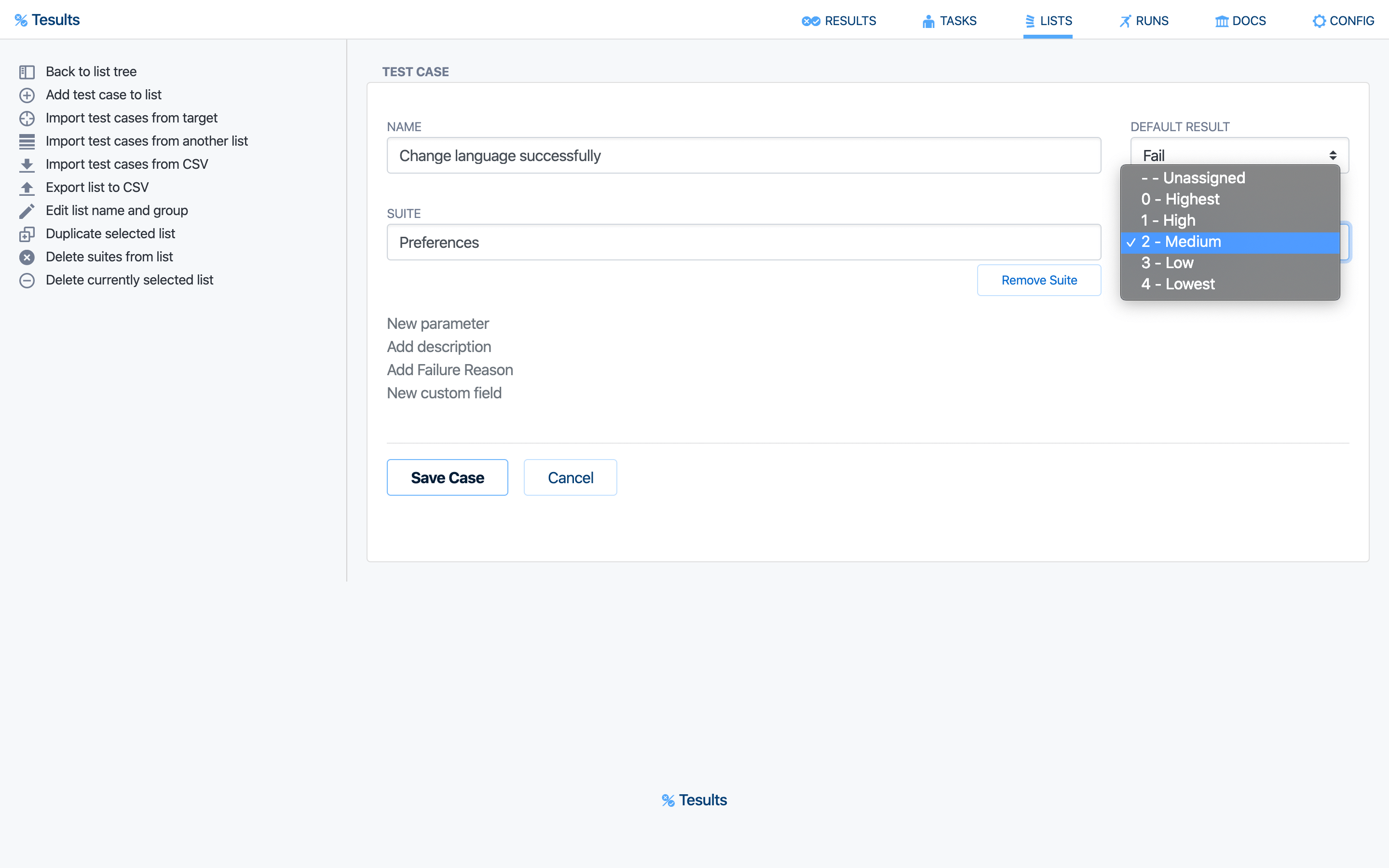
With priorities assigned, it becomes easy to see what to handle first when viewing a full test list, because the priority is shown alongside each case:
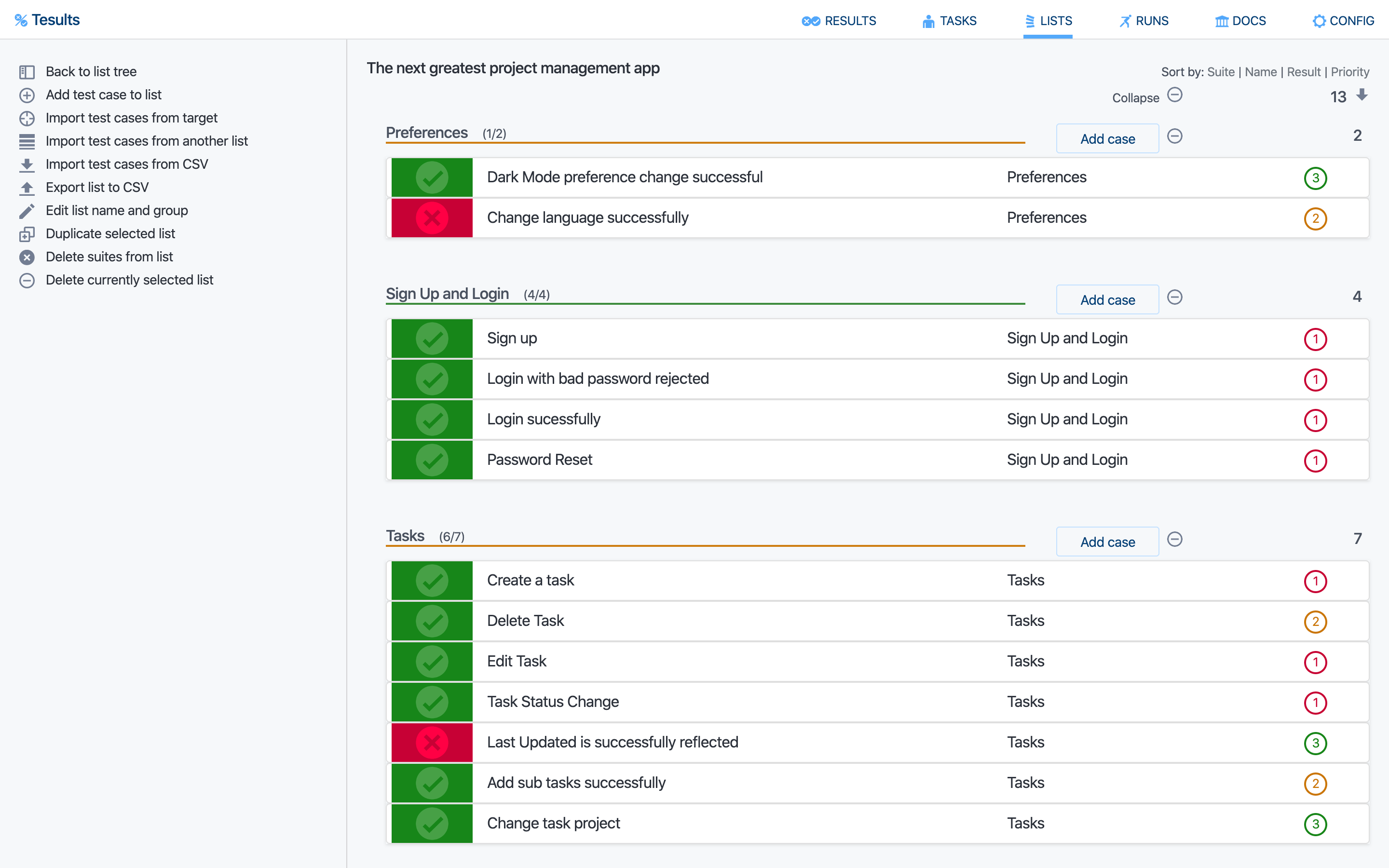
This turns a plain list of manual test cases into a prioritised one, which is what you want when preparing for a release and working out what must be verified before you ship.
Prioritising manual and automated tests
The priority field described above applies to manual test cases managed through Tesults Lists and Runs. For automated test results, prioritisation is currently something you apply in how you structure and name your tests and suites, rather than a per case priority field on automated results, so a common practice is to group your highest priority automated tests into a dedicated smoke or critical path suite that runs first and gates the pipeline, with lower priority tests in fuller runs.
Extending an explicit priority value to automated test results is something we are interested in developing further. If a per case priority on automated results would help your workflow, we would like to hear how, so please get in contact.
Prioritisation in practice
Prioritisation is most useful when it feeds directly into decisions. Automate and run your highest priority cases first and most often, since they give the best return on the time invested. When triaging a run with many failures, deal with the high priority failures before the rest. And when a release is under time pressure, let priority decide the minimum set that must pass before you are comfortable shipping. Used this way, setting priorities is not busywork, it is what lets a small team focus its limited testing effort where it matters most.
To record priority against your manual test cases, see the Tesults Lists and Runs documentation.